現在のブログ
ゲーム開発ブログ (2025年~) Gamedev Blog (2025~) 游戏开发博客 (2025年~)
レガシーブログ
テクノロジーブログ (2018~2024年) リリースノート (2023~2025年) MeatBSD (2024年)

【Zig】Review of the Zig Language
Before getting into the main topic, I have an announcement.
I recently obtained the "C Certified Associate" certification, and I plan to obtain the C++ version of the same certification next month.
Furthermore, I aim to obtain both "C Certified Professional" and "C++ Certified Professional" within this year.
This will also reveal my real name, but this information had already been made public by law when 076 Studio was incorporated.
My experience with Zig so far has honestly been quite inconsistent.
Sometimes things work well and I feel like I’ve accomplished something amazing, while other times I end up fighting the compiler and giving up.
Zig has been under development for about 11 years, but version 1.0 has still not been released.
The last version I used was 0.11.0, and the language has changed significantly since then.
At the time of writing, version 0.16.0 has just been released.
It’s the perfect timing to try it out.
One major change that stands out immediately is that OpenBSD is now officially supported, and you no longer need to build the compiler from the ports tree to use the latest version.
What is Zig?
Everyone knows C, C++, and Rust, but far fewer people are familiar with Zig.
As I mentioned before, system programming languages tend to appear in pairs. It’s purely coincidental, but interesting.
C and C++ are the absolute kings of system programming, almost like immortal entities.
Odin and Jai focus on game development and the enjoyment of programming.
Go and Carbon are specialized for web backends.
Zig and Rust aim to be modern successors to these kings, featuring stricter compilers and self-contained ecosystems.
While Rust corresponds more to C++, Zig is positioned closer to C.
Personally, I don’t fully trust the claims about memory safety, but both languages claim to achieve it.
There are also enterprise-oriented languages like Java and C#, which can handle some system programming, but they cannot be considered pure system programming languages.
Additionally, the Zig compiler can compile not only Zig code but also C code.
Zig’s greatest strength is its interoperability with C libraries, which will also be utilized in this demo.
Installation
Regardless of the OS, it is recommended to download the Zig compiler from the official website rather than using a package manager.
Many Linux distributions and BSD developers do not keep up with Zig as closely as Rust (despite its slower release cycle), so you are likely to end up using an outdated version.
Installation is extremely simple, and the fact that the compiler is fully self-contained is a major advantage.
However, on Windows, additional environment variable configuration is required.
Linux / BSD
$ doas su -
# wget https://ziglang.org/download/0.16.0/zig-x86_64-openbsd-0.16.0.tar.xz
# xzcat zig-x86_64-openbsd-0.16.0.tar.xz | tar xf -
# cd zig-x86_64-openbsd-0.16.0
# mv lib /usr/local/lib/zig
# mv zig /usr/local/bin
# cd ..
# rm -rf zig-x86_64-openbsd-0.16.0 zig-x86_64-openbsd-0.16.0.tar.xz
Windows
Extract zig-x86_64-windows-0.16.0.zip to C:\ and rename the root directory to Zig. In other words, the Zig root will be C:\Zig. Then open the quick menu with Windows + X, press Y to open system settings. Click "Advanced system settings" → "Environment Variables" (or press Alt + N). Add a system environment variable ZIG_TOOL_PATH and set its value to C:\Zig. Then edit the Path variable and add C:\Zig to it.
For Neovim users
Before starting programming, if you use Neovim, I strongly recommend disabling the forced auto-formatter.
This was one of the reasons I moved away from Zig.
It’s a bug that has existed for a very long time, and it seems there is no intention to fix it.
$ less ~/.config/nvim/init.lua | grep "zig"
vim.g.zig_fmt_autosave = 0
vim.g.zig_fmt_parse_errors = 0
For VS Code users
If you use VS Code or VS Codium, press CTRL + , to open settings, search for "zig", and set Zig: Formatting Provider to Off.
Preparation
> zig init
info: created build.zig
info: created build.zig.zon
info: created src\main.zig
info: created src\root.zig
info: see `zig build --help` for a menu of options
> del .\src\root.zig
> zig fetch --save git+https://github.com/zig-gamedev/zglfw.git
info: resolved to commit 51003c105d23db378bb59ce415a387b22f1b0892
Contents of build.zig:
const std = @import("std");

pub fn build(b: *std.Build) void {
  const target = b.standardTargetOptions(.{});
  const optimize = b.standardOptimizeOption(.{});

  const exe = b.addExecutable(.{
    .name = "OpenGLレンダー",
    .root_module = b.createModule(.{
      .root_source_file = b.path("src/main.zig"),
      .target = target,
      .optimize = optimize,
    }),
  });

  const zglfw = b.dependency("zglfw", .{
    .target = target,
    .optimize = optimize,
  });
  exe.root_module.addImport("zglfw", zglfw.module("root"));
  exe.root_module.linkLibrary(zglfw.artifact("glfw"));
  exe.root_module.addIncludePath(b.path("./include"));
  exe.root_module.addCSourceFile(.{
    .file = b.path("src/glad.c" ),
  });

  b.installArtifact(exe);
}
Creating the Window
const std = @import("std");
const glfw = @import("zglfw");

pub fn main() !void {
  try glfw.init();
  defer glfw.terminate();

  const window = try glfw.Window.create(800, 600,
    "OpenGLレンダー", null, null
  );
  defer window.destroy();

  while (!window.shouldClose() and window.getKey(.q) != .press) {
    window.swapBuffers();

    glfw.pollEvents();
  }
}
> zig build
> dir .\zig-out\bin


    ディレクトリ: C:\Users\suwako\dev\stub\opengl-render-zig\zig-out\bin


Mode                 LastWriteTime         Length Name
----                 -------------         ------ ----
-a----        2026/05/02      0:42        3102208 OpenGLレンダー.exe

-a----        2026/05/02      0:42        3796992 OpenGLレンダー.pdb


> .\zig-out\bin\OpenGLレンダー.exe
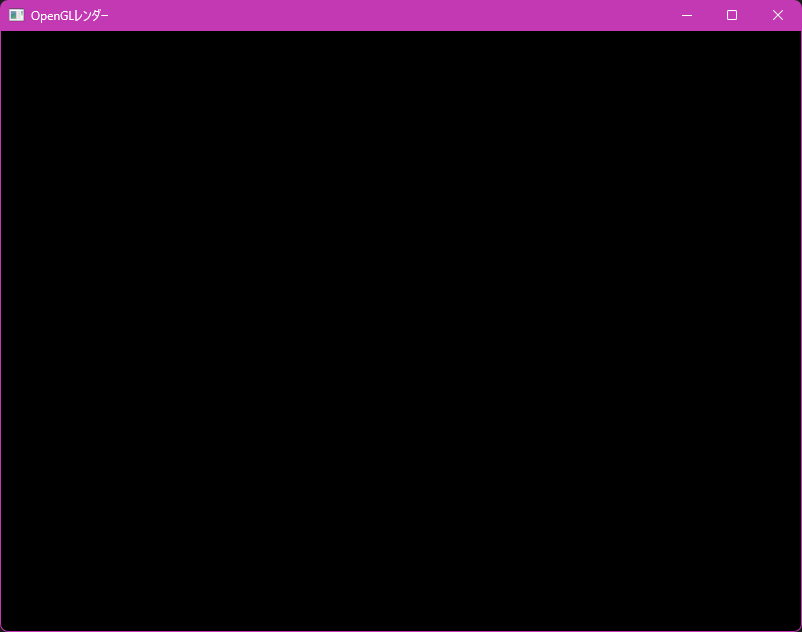
The window displayed correctly.
The code is very simple, but compilation takes an insanely long time.
Next is a test of static linking.
$ cd /mnt/c/Users/suwako/dev/stub/opengl-render-zig
$ ls -thal zig-out/bin/OpenGLレンダー.exe
-rwxrwxrwx 1 suwako suwako 3.0M  5月  2 00:42 zig-out/bin/OpenGLレンダー.exe
$ file zig-out/bin/OpenGLレンダー.exe
zig-out/bin/OpenGLレンダー.exe: PE32+ executable for MS Windows 6.00 (console), x86-64, 7 sections
$ ldd zig-out/bin/OpenGLレンダー.exe
        動的実行ファイルではありません
It appears to be statically linked by default.
That’s great.
However, from past experience, I know that Zig only defaults to static linking when the code is written purely in Zig.
When using C interoperability (one of Zig’s major strengths), it becomes dynamically linked on Unix-like systems.
ZGLFW internally uses the C GLFW library, but on Windows, static linking is relatively easier compared to non-console operating systems.
Next, we draw a familiar rectangle.
To demonstrate Zig’s strong C interoperability and the fact that OpenGL wrappers tend to be outdated or poorly documented (a common issue in open source), we will use OpenGL via C code within Zig.
Rendering Graphics
const std = @import("std");
const glfw = @import("zglfw");
const c = @cImport({
  @cInclude("glad/glad.h");
});

const VERTEX_SRC =
  \\#version 460 core

  \\layout (location = 0) in vec3 aPos;

  \\void main() {
  \\  gl_Position = vec4(aPos, 1.0);
  \\}
;

const FRAG_SRC =
  \\#version 460 core

  \\out vec4 FragColor;

  \\void main() {
  \\  FragColor = vec4(1.f, .5f, .2f, 1.f);
  \\}
;

fn framebuffer_size_callback(_: *glfw.Window, width: c_int, height: c_int) callconv(.c) void {
  c.glViewport(0, 0, width, height);
}

pub fn main() !void {
  try glfw.init();
  defer glfw.terminate();

  glfw.windowHint(.client_api, .opengl_api);
  glfw.windowHint(.context_version_major, 4);
  glfw.windowHint(.context_version_minor, 6);
  glfw.windowHint(.opengl_profile, .opengl_core_profile);

  const window = try glfw.Window.create(800, 600,
    "OpenGLレンダー", null, null
  );
  defer window.destroy();

  glfw.makeContextCurrent(window);
  _ = glfw.setFramebufferSizeCallback(window, framebuffer_size_callback);
  _ = c.gladLoadGLLoader(@ptrCast(&glfw.getProcAddress));

  const vertexShader = c.glCreateShader(c.GL_VERTEX_SHADER);
  c.glShaderSource(vertexShader, 1, @ptrCast(&VERTEX_SRC), null);
  c.glCompileShader(vertexShader);
  defer c.glDeleteShader(vertexShader);

  var success: c_int = 0;
  c.glGetShaderiv(vertexShader, c.GL_COMPILE_STATUS, &success);

  const fragShader = c.glCreateShader(c.GL_FRAGMENT_SHADER);
  c.glShaderSource(fragShader, 1, @ptrCast(&FRAG_SRC), null);
  c.glCompileShader(fragShader);
  defer c.glDeleteShader(fragShader);

  success = 0;
  c.glGetShaderiv(fragShader, c.GL_COMPILE_STATUS, &success);

  const shaderProgram = c.glCreateProgram();
  c.glAttachShader(shaderProgram, vertexShader);
  c.glAttachShader(shaderProgram, fragShader);
  c.glLinkProgram(shaderProgram);

  c.glGetProgramiv(shaderProgram, c.GL_LINK_STATUS, &success);

  const vertices = [_]f32{
     0.5,  0.5, 0.0,
     0.5, -0.5, 0.0,
    -0.5, -0.5, 0.0,
    -0.5,  0.5, 0.0,
  };

  const indices = [_]u32{
    0, 1, 3,
    1, 2, 3,
  };

  var VBO: u32 = 0;
  var VAO: u32 = 0;
  var EBO: u32 = 0;

  c.glGenVertexArrays(1, &VAO);
  defer c.glDeleteVertexArrays(1, &VAO);
  c.glGenBuffers(1, &VBO);
  defer c.glDeleteBuffers(1, &VBO);
  c.glGenBuffers(1, &EBO);
  defer c.glDeleteBuffers(1, &EBO);
  c.glBindVertexArray(VAO);

  c.glBindBuffer(c.GL_ARRAY_BUFFER, VBO);
  c.glBufferData(c.GL_ARRAY_BUFFER, vertices.len * @sizeOf(f32), &vertices, c.GL_STATIC_DRAW);

  c.glBindBuffer(c.GL_ELEMENT_ARRAY_BUFFER, EBO);
  c.glBufferData(c.GL_ELEMENT_ARRAY_BUFFER, indices.len * @sizeOf(u32), &indices, c.GL_STATIC_DRAW);

  c.glVertexAttribPointer(0, 3, c.GL_FLOAT, c.GL_FALSE, 3 * @sizeOf(f32), null);
  c.glEnableVertexAttribArray(0);

  c.glBindBuffer(c.GL_ARRAY_BUFFER, 0);
  c.glBindVertexArray(0);

  while (!window.shouldClose() and window.getKey(.q) != .press) {
    c.glClearColor(0.6, 0.1, 0.6, 1.0);
    c.glClear(c.GL_COLOR_BUFFER_BIT);
    c.glUseProgram(shaderProgram);
    c.glBindVertexArray(VAO);
    c.glDrawElements(c.GL_TRIANGLES, 6, c.GL_UNSIGNED_INT, null);

    window.swapBuffers();
    glfw.pollEvents();
  }
}
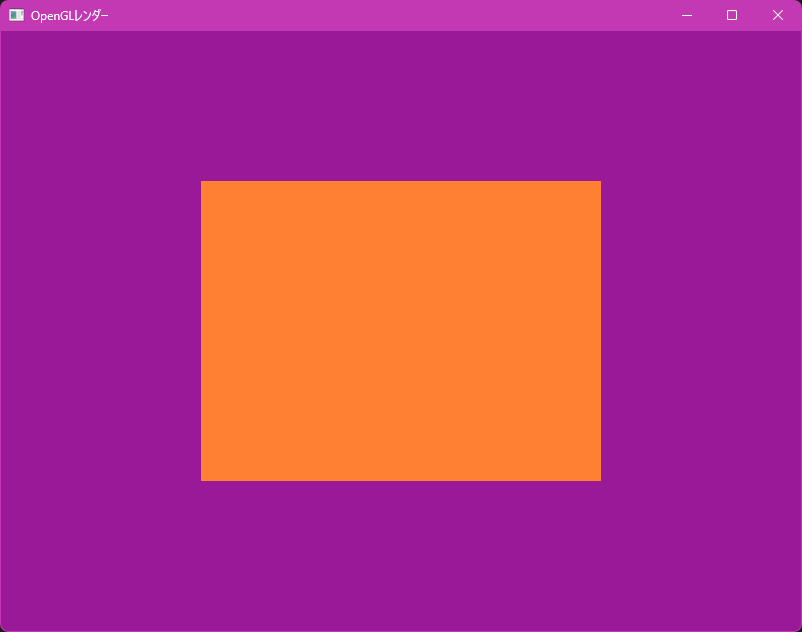
This is very similar to my previous reviews of Odin and Rust.
Verdict
Good points:
- Easy installation
- Excellent C compiler
- Can use decades worth of C libraries as-is
- Build system and test suite included by default
- First-class BSD support
- Rich compile-time features that reduce runtime computation
- Statically linked by default
Bad points:
- Forced auto-formatter (opt-out rather than opt-in) is extremely annoying
- Bugs in project initialization
- The compiler can sometimes be overly strict
- Too ecosystem-oriented
- Documentation is still insufficient
- Cannot statically link when using C libraries (Unix-like systems only; Windows excluded)
Another drawback is that specifications change significantly between versions.
However, this is because Zig is not yet a finished product, and it plans to guarantee a stable ABI after 1.0.
It is a drawback at present, but will likely be resolved in the future.
Zig has evolved significantly since 0.11.0, but its most troublesome issues (such as the forced formatter) remain unresolved and will likely persist even in 1.0.
Zig can be a strong option for beginners in embedded programming who are uneasy about C’s unrestricted memory access or Rust’s learning curve.
I think it is the most suitable language for this niche.
In game development, Zig usage may increase for PC games in the future, but C++ will likely remain dominant for consoles.
Another characteristic of the Zig community is its strong preference for "writing everything from scratch".
In my Rust review, I complained that simply introducing OpenGL and GLFW adds many dependencies.
However, checking the zig-pkg directory shows only two dependencies: zglfw, which this renderer depends on, and system_sdk, which GLFW depends on.
Next time, I plan to cover Objective-C, the Metal API, and MSL (Metal Shading Language) on macOS.
After that, I will cover Swift on iOS.
These are completely new areas for me, so I will explain everything while learning from scratch.
Originally, I planned to cover Go next, but since I purchased a MacBook Neo and there are very few people writing about this field, I decided to try Objective-C and the Metal API.
This article was supposed to be published earlier, but I spent too much time fighting the compiler and ended up being delayed by more than a week.
Also, I have started committing the renderers created for each language review to Gitler.
That's all