現在のブログ
ゲーム開発ブログ (2025年~) Gamedev Blog (2025~) 游戏开发博客 (2025年~)
レガシーブログ
テクノロジーブログ (2018~2024年) リリースノート (2023~2025年) MeatBSD (2024年)
【Volt Engine】Development Log — No. 002
Today, I thought I would be able to get a lot more work done, but I discovered that creating colliders for the character was much more difficult than I had expected.
Instead, I managed to get the colliders working properly, and the only remaining task for collision detection is implementing dynamic detection.
This will be used for objects that aren't statically placed, such as elevators, flying carpets, and enemies.
Here is a short video:
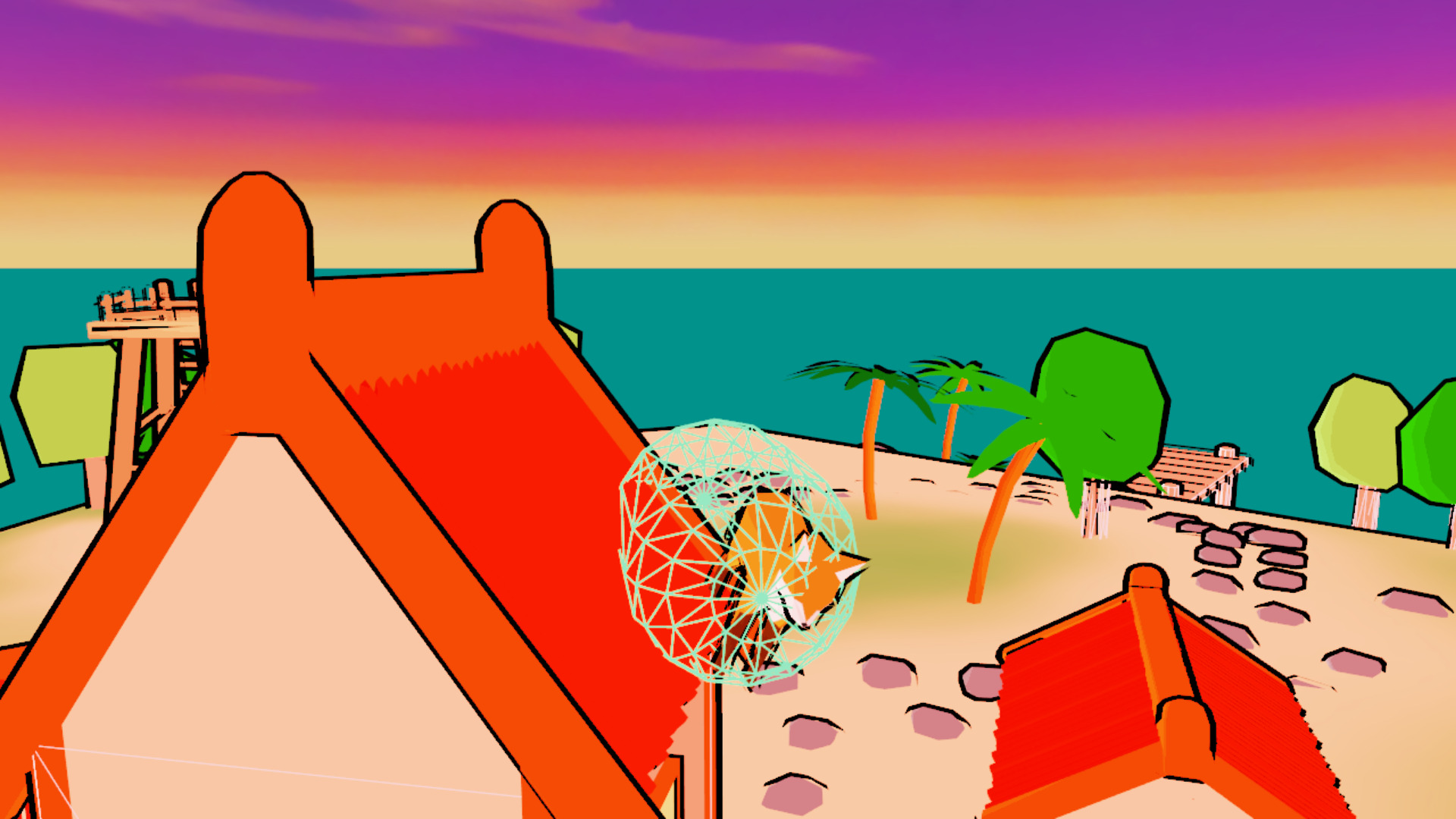
Here, all you can really see is the fox running toward houses and trees, colliding with some of them but not others, so it might be a little difficult to tell what's happening.
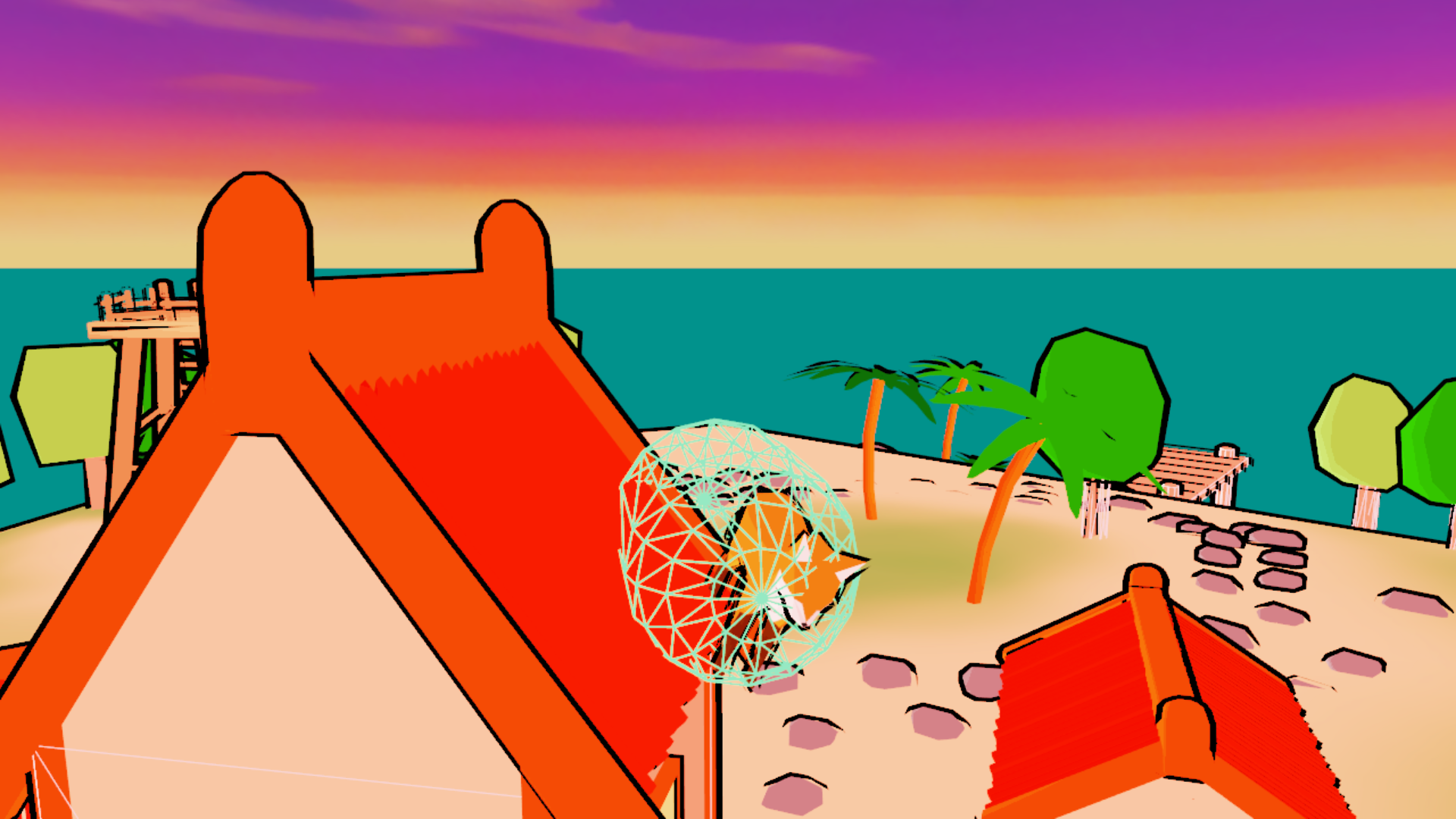
Let's display the colliders.
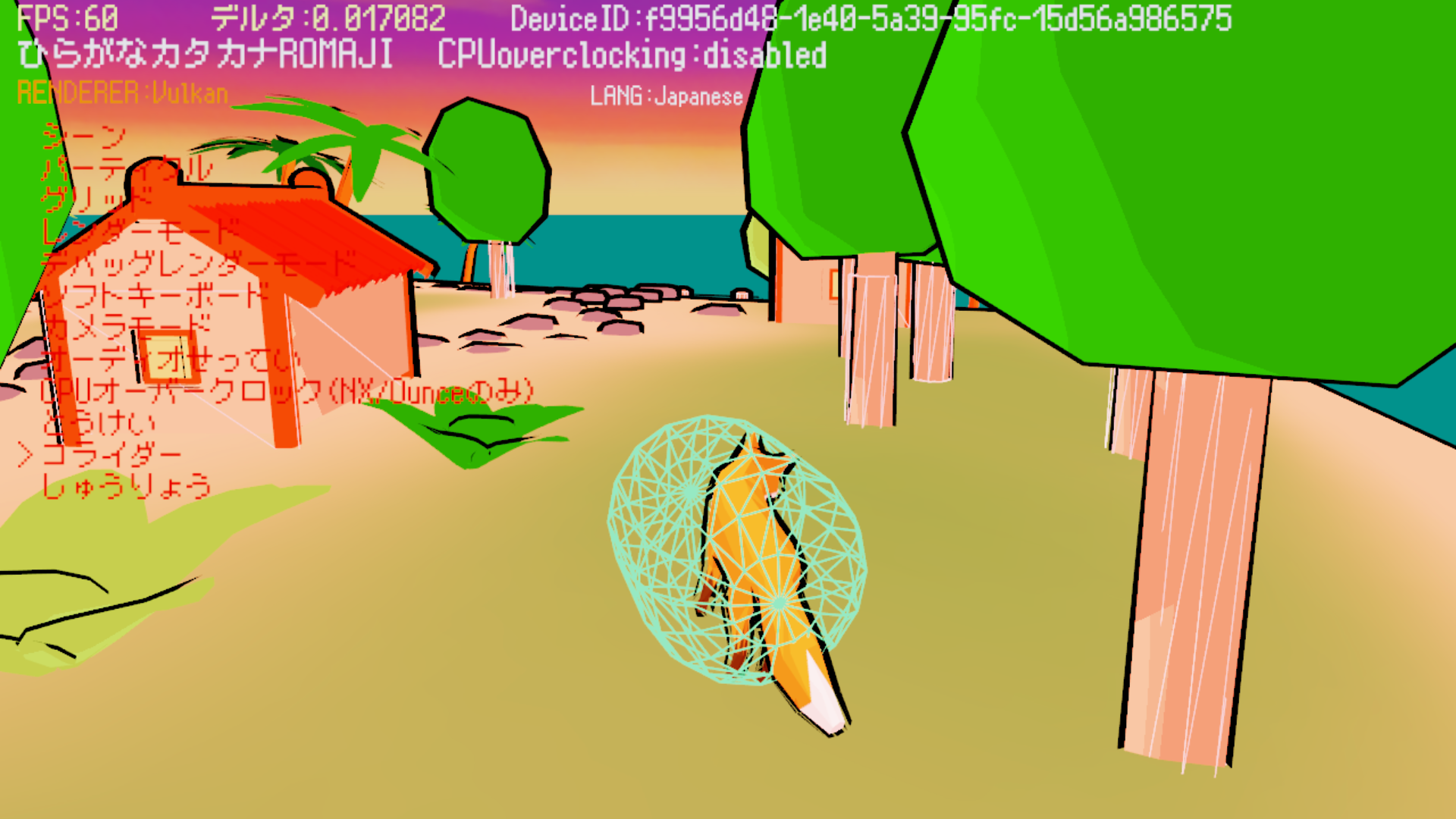
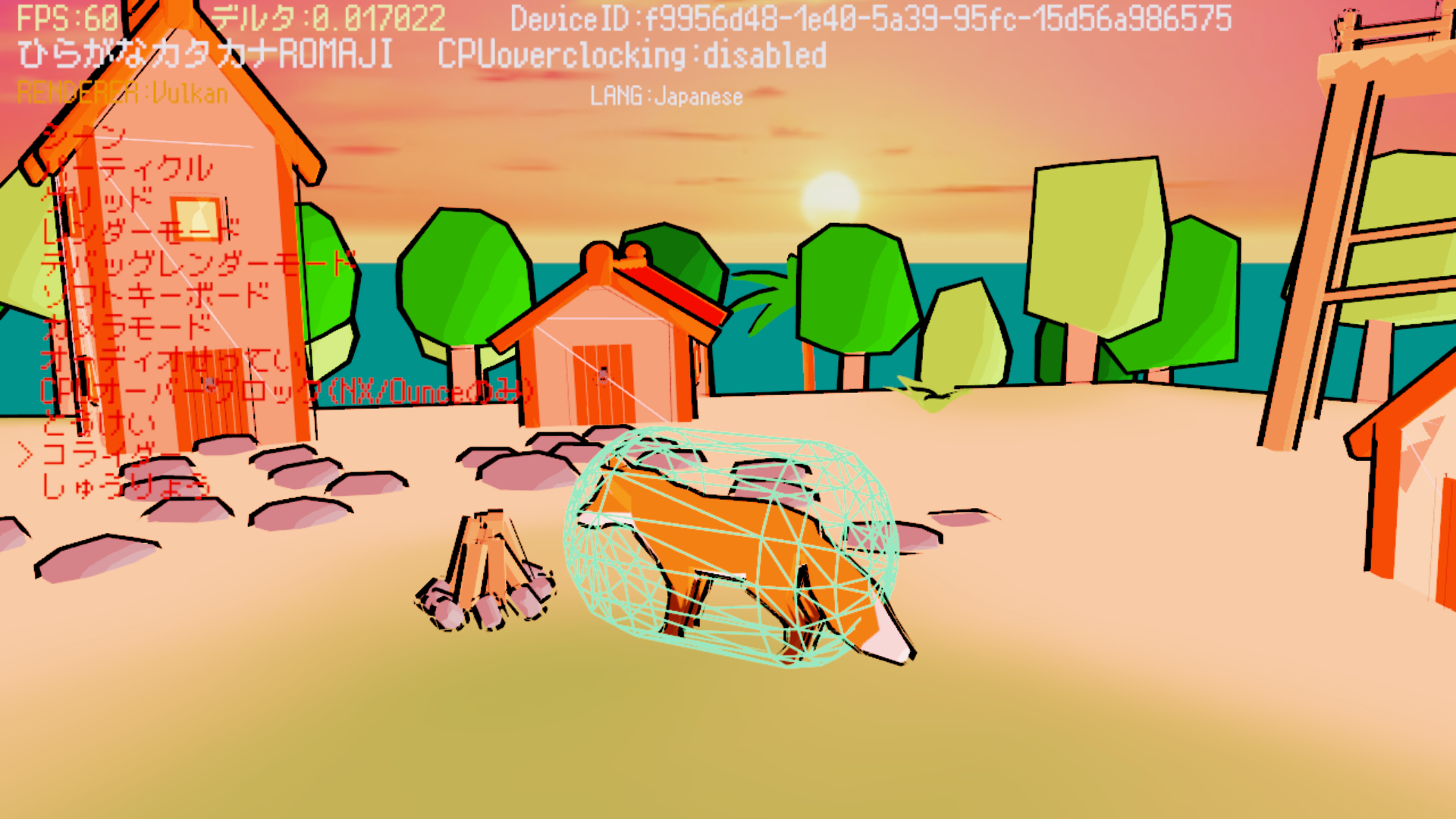
As you can see, all of the houses now have colliders (the white outlines), but the campfire does not.
Because of this, you can walk straight through the campfire, but you cannot walk through the houses.
You can also see that the fox has a capsule-shaped collider, while the trees have cylindrical colliders.
Because of this, if the fox keeps running into a tree, it will be pushed back by the tree.
The houses are cubes, so when the fox runs into one, it will simply keep running toward the house.
You might be wondering what is happening with the island.
The island's collider is simply a copy of the graphical model itself.
It is simple enough that it doesn't cause lag, while still allowing us to maintain perfect accuracy.
The pier has beveled edges, and applying collision detection to the entire thing could potentially cause problems both graphically and logically.
Therefore, the pier's collider uses flattened cubes.
In other words, which collider you should use ultimately depends entirely on the situation; there is no single solution that is always optimal.
You can also see jumping and swimming.
Jumping is fairly simple, and anyone who has made a game with jumping will know how it works.
It doesn't matter whether you're writing the game from scratch or using Unity, Unreal, Godot, SDL, or Raylib.
The logic is the same in every case.
Swimming uses a special type of collider called a "trigger".
The purpose of a normal collider is to push the player out of it.
This allows the player to stand on the floor and collide with walls.
In fact, all the floor is really doing is continuously pushing the player upward while they are touching it, preventing them from falling through it.
With a trigger, you can pass through the collider, but it allows the programmer to react when something enters or exits it.
This can be used for many things, such as starting a cutscene, damaging the player, or picking up an item.
In this case, it detects whether the fox is in the water, and when it is, the fox swims and its movement speed is reduced.
Khronos's fox model doesn't have a swimming animation, so the walking animation is simply reused for swimming.
One of the best tricks in game development is reusing existing assets and adapting them for different purposes.
For example, in an 8-bit game, you could easily reuse half of a grass sprite as a cloud by changing its color from green to white and flipping it.
This saves one sprite tile that could be used for another object, and also eliminates the need to use two more tiles on the opposite side for something that would essentially just be a mirror image.
Because 8-bit systems had very limited numbers of tiles available, techniques like this were commonly used in games of that era.
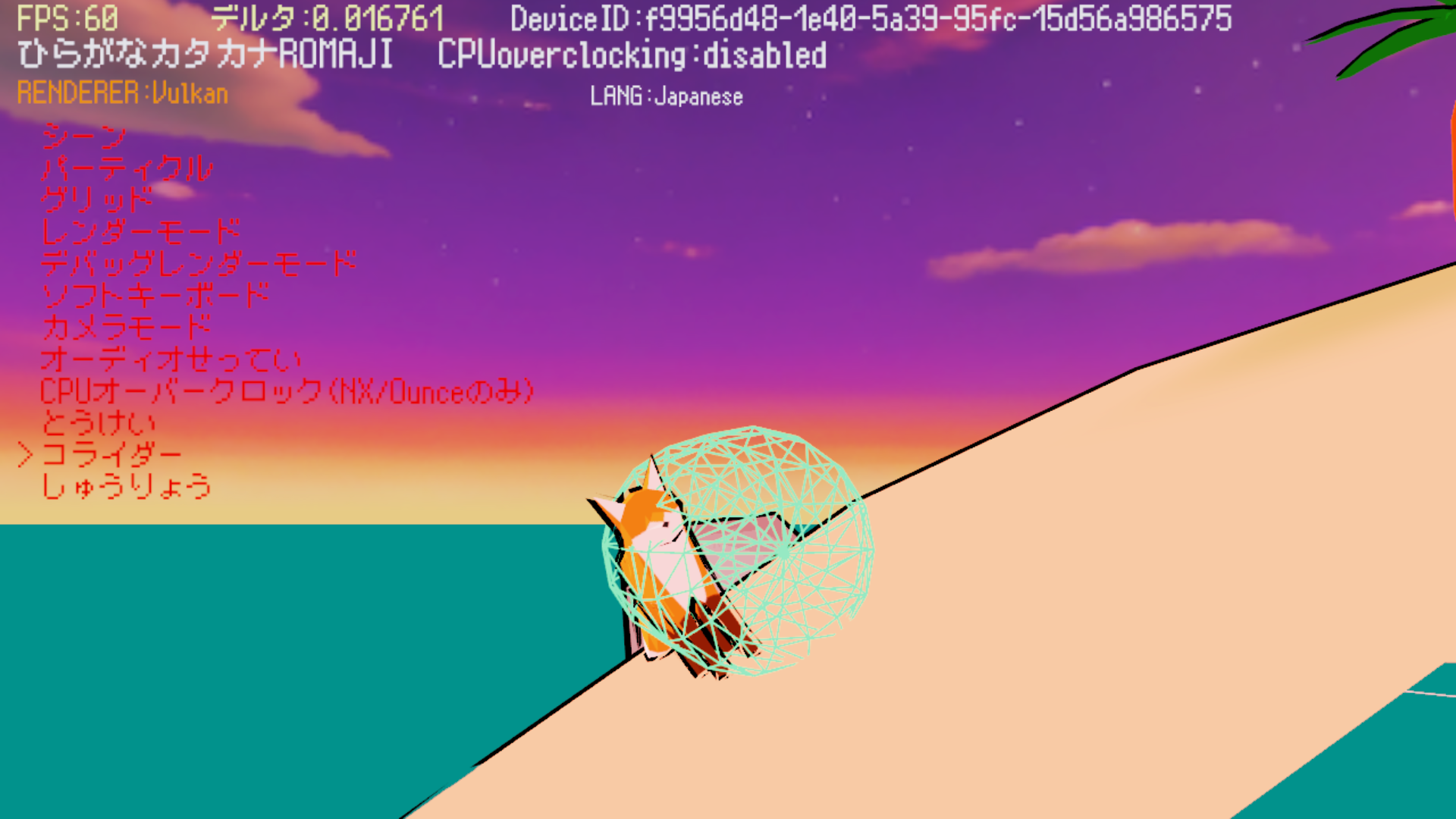
As you can see, this now allows the fox to stand properly on slopes as well.
The movement is much more convincing than what I showed yesterday.
And, of course, you can do things like this even without putting a collider on the roof.
To better understand how the colliders work, let's take a look at a screenshot from Blender.
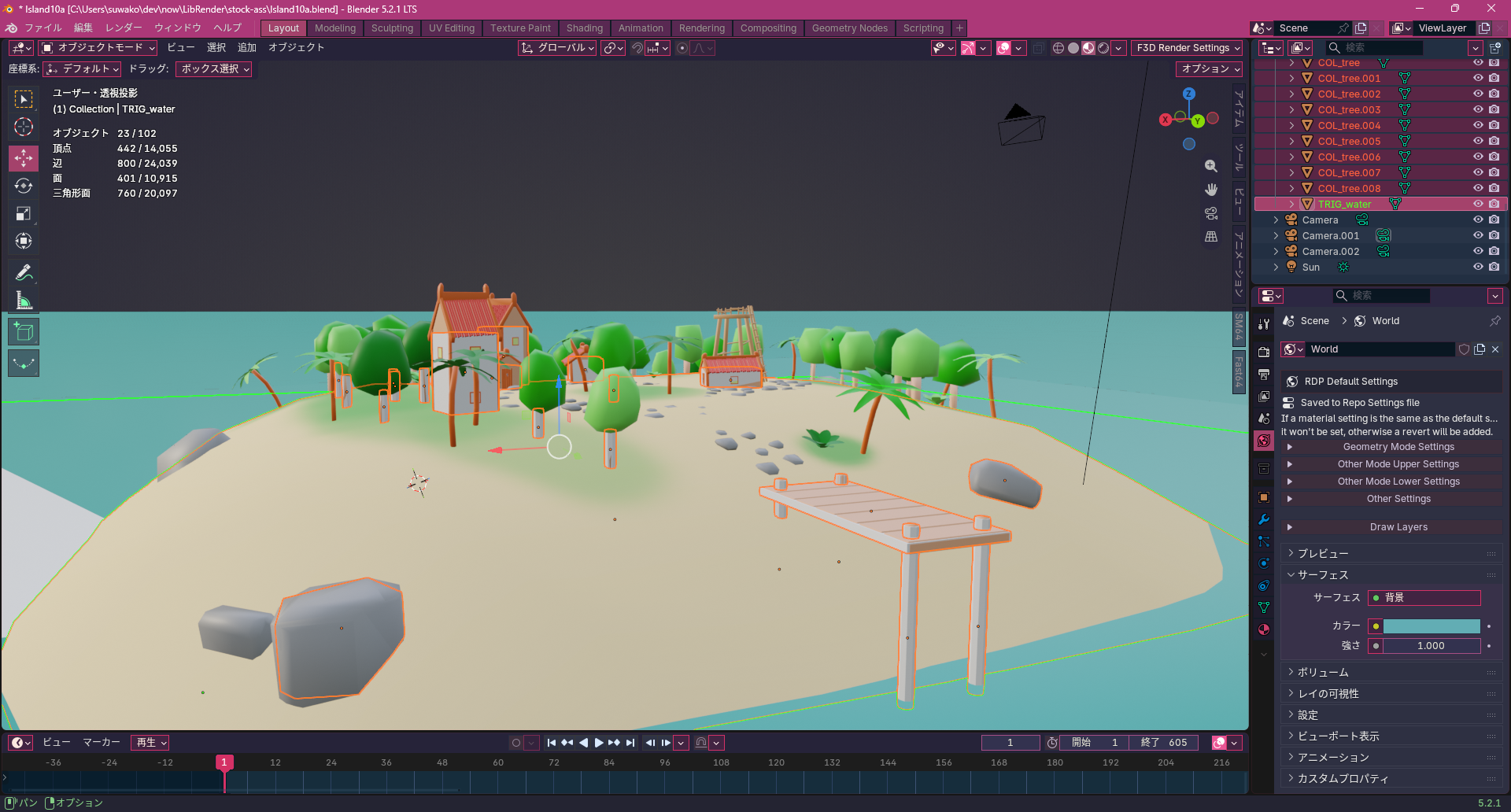
The fox model isn't here.
That's because it's a separate model.
All models that aren't static are kept in separate files, while static objects are consolidated into a single scene file.
You can see lots of white shapes around the objects, as well as green outlines around the water.
You may also notice that their names begin with "COL_" or "TRIG_."
This tells the engine which objects to use for collision detection!
In other words, we're telling the engine that "everything beginning with COL_ is meant to keep the fox out" and that "everything beginning with TRIG_ is meant to interact with the fox."
Since COL_ colliders only exist to keep the fox out, the name that comes after it can be whatever you want.
However, TRIG_ colliders need to follow a specific naming convention.
That's because those names are used to assign events, and those events are then implemented in C++ source files.
Overall, it's a very simple system, but surprisingly powerful.
That's because, even though Volt Engine doesn't have an editor, artists and level designers can design levels directly in Blender, while programmers can assign events to triggers without spending weeks manually calculating and setting up the appropriate colliders.
At the same time, artists and designers don't have to learn a new tool.
They can simply continue using the tools they're already familiar with.
In other words, it's a true win-win for the entire team!
That's all