現在のブログ
ゲーム開発ブログ (2025年~) Gamedev Blog (2025~) 游戏开发博客 (2025年~)
レガシーブログ
テクノロジーブログ (2018~2024年) リリースノート (2023~2025年) MeatBSD (2024年)
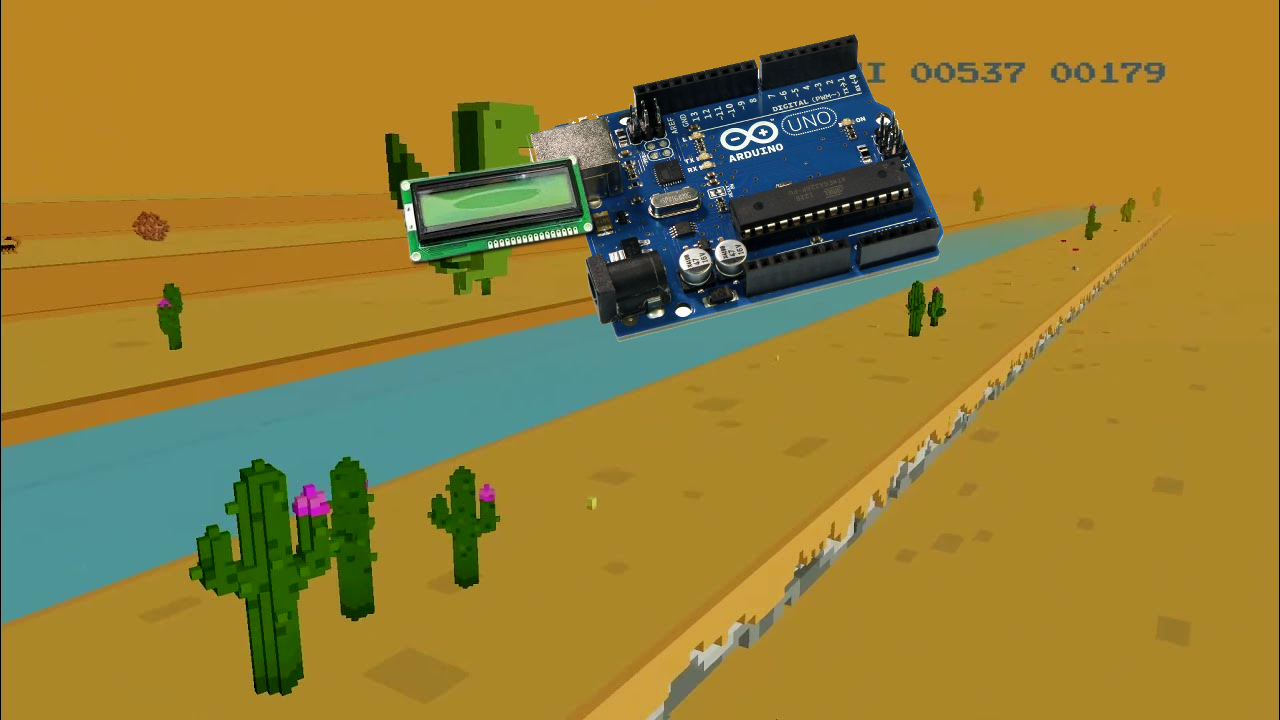
【Embedded × Game】I Made DINORUN with Arduino
What happens when a game developer tries embedded programming?
A bare-metal game is born on a microcontroller!
I participated in a one-month embedded systems course, but surprisingly, I finished it in just two weeks.
After that, the instructors gave me even harder additional assignments, and I completed those in two days as well.
Then they told me, "You can make whatever you want now", so I decided to create a game.
And I finished it in just one hour.
DINORUN
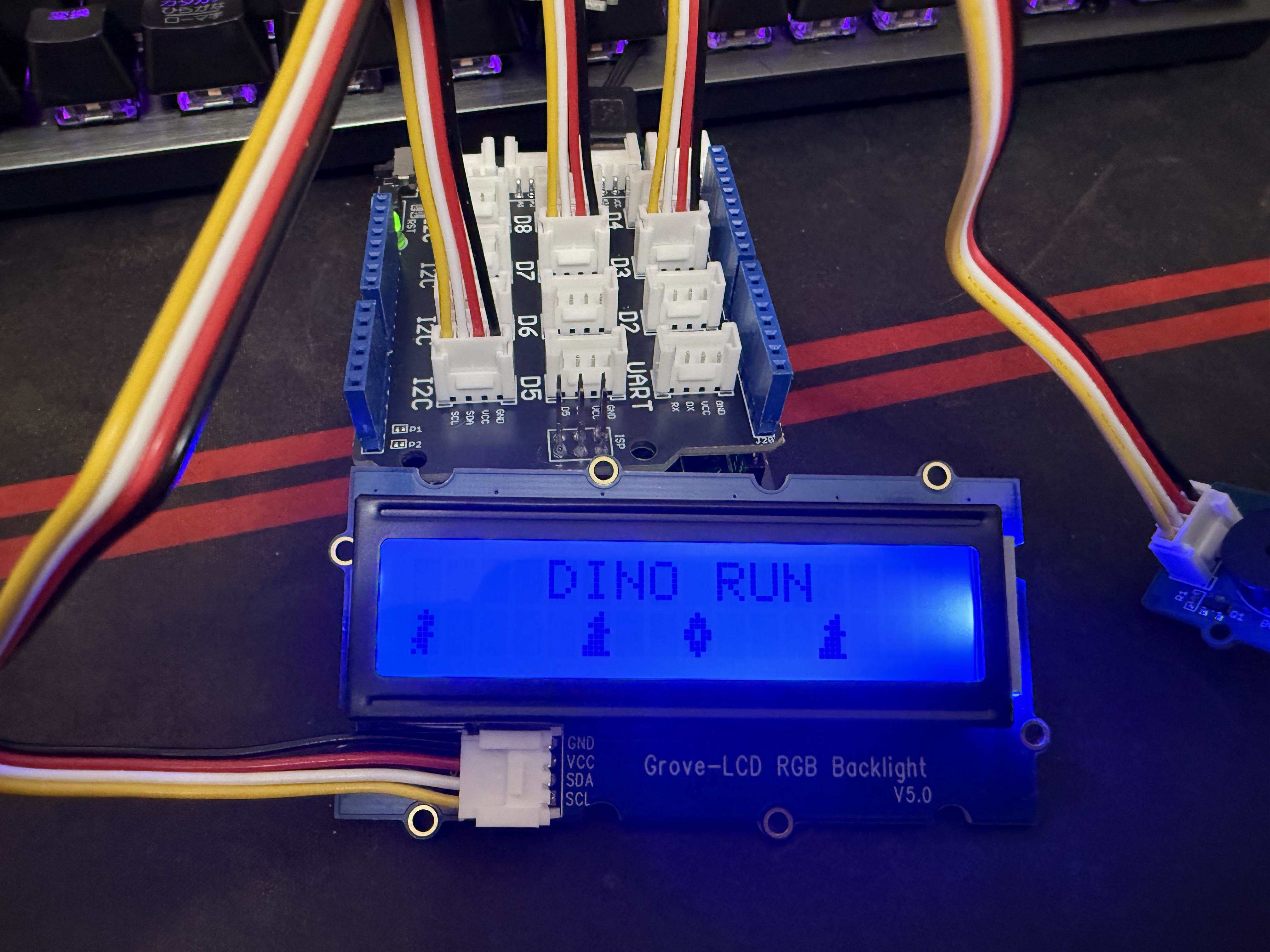
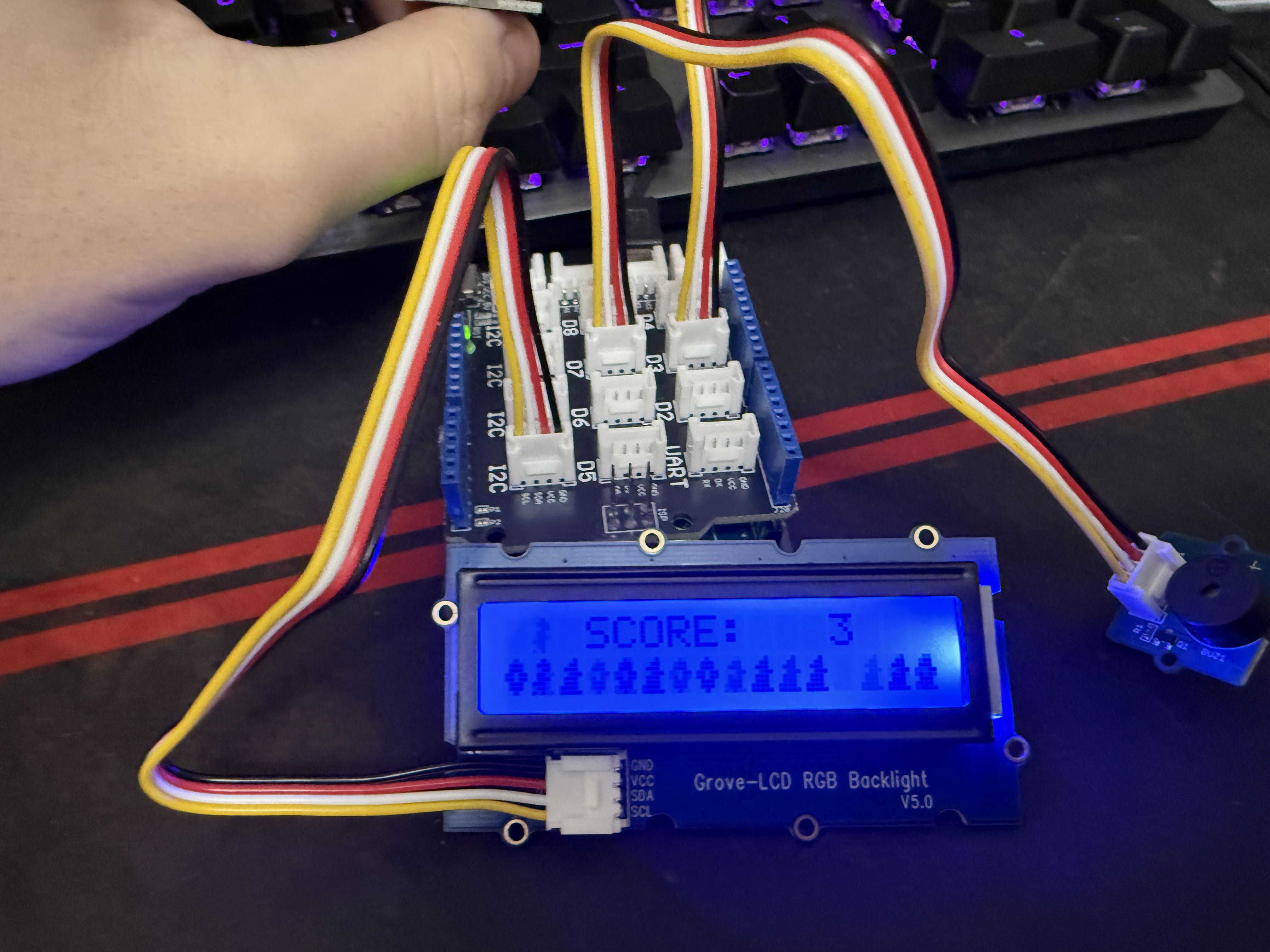
I'm not sure what Google officially calls it, but this game is based on the one you can play in Chromium-based browsers when there's no internet connection.
However, there are several constraints:
Custom characters are limited to a maximum of 8, each 5×8 pixels.
Only one sound can be played at a time.
The CPU is an 8-bit AVR processor running at 16 MHz, with 32 KiB flash, 2 KiB SRAM, and 1 KiB EEPROM.
There is only one button available for input.
Of course it's possible to add more buttons, but this time I was given one Grove Starter Kit, so I used the single button that came with it.
With a little hacking I could have turned the touch sensor into two buttons, but it wasn't necessary for DINORUN so I didn't do it.
At first I was planning to use the randomness of the rocks to let the player jump infinitely.
But when I let the teacher play it, he said "This is way too easy — is this a bug?" so I fixed it.
Another teacher advised me "Don't use delay, use timers instead", so I implemented that too.
Other than that, they were quite surprised and impressed, saying things like "You can actually make something like this?"
How to Run It
You will need the following items:
- Arduino Uno R3
- Base shield, RGB LCD, button, buzzer (all included in the SeeedStudio Grove Starter Kit v3)
Install the Arduino IDE, download the entire project from here, and open game.ino in the Arduino IDE.
Connect the base shield to the Arduino, then connect the LCD to I2C, the button to pin 3, and the buzzer to pin 7.
It should look something like this:
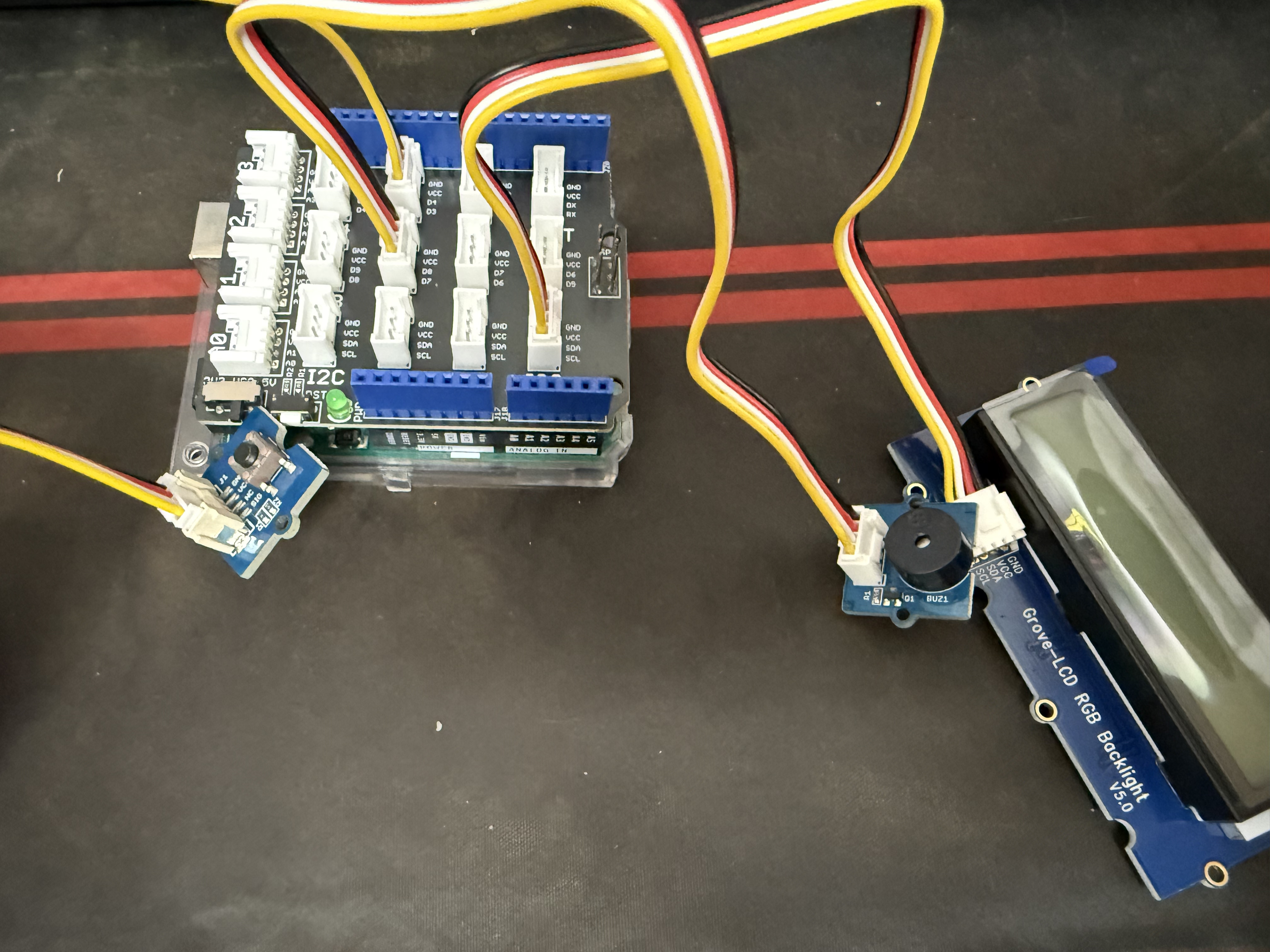
After that, simply upload the code to the Arduino and you can play the game right away.
Collecting coins increases your score, and hitting a rock results in game over.
Code Explanation
This part manages the game "scenes".
typedef enum {
  Start, Play, Dead
} GameState;

volatile GameState state = Start;
This section creates the custom sprites.
As mentioned earlier, the font is limited to 5×8 pixels, so the sprites are essentially custom font characters.
byte dino[8] = {
  0b00100,
  0b01110,
  0b00110,
  0b01100,
  0b01110,
  0b11100,
  0b01100,
  0b10100
};

byte rock[8] = {
  0b00010,
  0b00110,
  0b01110,
  0b00111,
  0b01110,
  0b01110,
  0b11110,
  0b11111
};

byte coin[8] = {
  0b00100,
  0b01110,
  0b01110,
  0b11011,
  0b11011,
  0b01110,
  0b01110,
  0b00100
};

char dinoChar = byte(7);
char rockChar = byte(6);
char coinChar = byte(5);
This is the initialization part.
Pin assignments, dinosaur state, jumping, death detection, game speed, etc. are all initialized here.
The first few rocks and coins are placed at fixed positions, and the rest are randomly generated during the game loop.
volatile int curCol, curRow;

const int pinButton = 3;
const int pinBuzzer = 7;
...
bool jump = false;
bool jumping = false;
bool died = false;
unsigned long jumpTime = 0;
const unsigned long jumpDuration = 350;

int score = 0;
int dinoY = 1;

const int initRocks[] = { 5, 12, 16, 19, 23, 27, 30, 34, 36, 39, 41, 44, 47, 49, 52 };
const int countRocks = sizeof(initRocks) / sizeof(initRocks[0]);
int rockX[countRocks];
const int initCoins[] = { 8, 17, 25, 29, 32, 40, 43, 48, 55};
const int countCoins = sizeof(initCoins) / sizeof(initCoins[0]);
int coinX[countCoins];

int gameSpeed = 200;
unsigned long lastMove = 0;

unsigned long deathShowStart = 0;
const unsigned long deathScreenMinTime = 2000;

volatile bool btnPressed = false;

void setup() {
  pinMode(pinBuzzer, OUTPUT);
  attachInterrupt(digitalPinToInterrupt(pinButton), buttonHandler, RISING);
  lcd.begin(16, 2);
  lcd.createChar(7, dino);
  lcd.createChar(6, rock);
  lcd.createChar(5, coin);
  resetGame();
}

void buttonHandler() {
  btnPressed = true;
}
The main game loop is divided into title screen, gameplay, and game-over screen.
Everything except the dinosaur scrolls to the left, and after the initial few, rocks and coins appear randomly.
The buzzer plays sounds when jumping, collecting coins, and on death. When the player dies, the LCD temporarily turns red.
void resetGame() {
  score = 0;
  jump = false;
  jumping = false;
  jumpTime = 0;
  dinoY = 1;
  lastMove = millis();
  deathShowStart = 0;
  lcd.setRGB(0, 0, 255);

  for (int i = 0; i < countRocks; ++i) {
    rockX[i] = initRocks[i];
  }

  for (int i = 0; i < countCoins; ++i) {
    coinX[i] = initCoins[i];
  }
}

void titlescreen() {
  char buf[16];
  lcd.clear();
  lcd.setCursor(4, 0);
  lcd.print("DINO RUN");
  lcd.setCursor(0, 1);
  sprintf(buf, "%c    %c  %c   %c", dinoChar, rockChar, coinChar, rockChar);
  lcd.print(buf);

  if (btnPressed) {
    btnPressed = false;
    state = Play;
    resetGame();
  }
}

void gameplay() {
  unsigned long now = millis();

  if (btnPressed) {
    btnPressed = false;
    if (!jumping) {
      tone(pinBuzzer, 523, 100);
      jump = true;
      jumpTime = now;
    }
  }

  if (jump) {
    jumping = true;
    dinoY = 0;
    if (now - jumpTime >= jumpDuration) {
      jump = false;
      jumping = false;
      dinoY = 1;
    }
  }

  if (now - lastMove >= (unsigned long)gameSpeed) {
    lastMove = now;

    for (int i = 0; i < countRocks; ++i) {
      rockX[i]--;
      if (rockX[i] < -1) rockX[i] = 25 + random(12, 22);
    }

    for (int i = 0; i < countCoins; ++i) {
      coinX[i]--;
      if (coinX[i] < -1) coinX[i] = 32 + random(15, 30);
    }
  }

  lcd.clear();

  lcd.setCursor(3, 0);
  char scoreBuf[16];
  sprintf(scoreBuf, "SCORE: %3d", score);
  lcd.print(scoreBuf);

  char player[2];
  char obstacle[2];
  char collect[2];

  sprintf(player, "%c", dinoChar);
  sprintf(obstacle, "%c", rockChar);
  sprintf(collect, "%c", coinChar);

  lcd.setCursor(1, dinoY);
  lcd.print(player);

  bool hit = false;
  for (int i = 0; i < countRocks; ++i) {
    int x = rockX[i];
    if (x >= 0 && x < 16) {
      lcd.setCursor(x, 1);
      lcd.print(obstacle);
      if (dinoY == 1 && x == 1) {
        hit = true;
      }
    }
  }

  for (int i = 0; i < countCoins; ++i) {
    int x = coinX[i];
    if (x >= 0 && x < 16) {
      lcd.setCursor(x, 1);
      if (dinoY == 1 && x == 1) {
        tone(pinBuzzer, 880, 80);
        score++;
      }
      else lcd.print(collect);
    }
  }

  if (hit) {
    unsigned long n = millis();
    lcd.setRGB(255, 0, 0);
    tone(pinBuzzer, 698, 1000);

    if (n >= 2000) {
      state = Dead;
      deathShowStart = now;
    }
  }
}

void dead() {
  unsigned long now = millis();
  lcd.setRGB(0, 0, 255);

  lcd.clear();
  char buf[16];
  lcd.setCursor(3, 0);
  sprintf(buf, "SCORE: %3d", score);
  lcd.print(buf);
  lcd.setCursor(4, 1);
  lcd.print("GAMEOVER");
  if (now - deathShowStart < deathScreenMinTime) return;

  if (btnPressed) {
    btnPressed = false;
    state = Start;
    resetGame();
  }
}

void loop() {
  delay(200);
  switch (state) {
    case Start:
      titlescreen();
      break;
    case Play:
      gameplay();
      break;
    case Dead:
      dead();
      break;
  }
  delay(200);
}
Summary
As you can see, I managed to recreate that Chromium offline game — which consumes over 4 GiB of RAM on modern systems — on an Arduino using only about 450 bytes.
The graphics are clearly inferior, but in other aspects (sound, presentation, etc.) it can actually be said to surpass the original.
Creating such a simple game on what is considered a "primitive" platform by today's standards was a lot of fun.
I once again truly felt that "constraints breed creativity".
Going forward, I plan to write not only game development articles but also embedded systems articles on this blog.
The next project is already in the planning stage — something quite serious using an STM32 board.
Source code
That's all.